
Patient Intake
Fast, Accurate Online Patient Information
Complete information. First time.
No missing fields, no illegible handwriting.
Less admin. More clinical time.
Eliminate manual capture, followups and corrections.

A smoother patient journey.
Patients complete their details in advance, reducing delays.
What Your Patient Sees
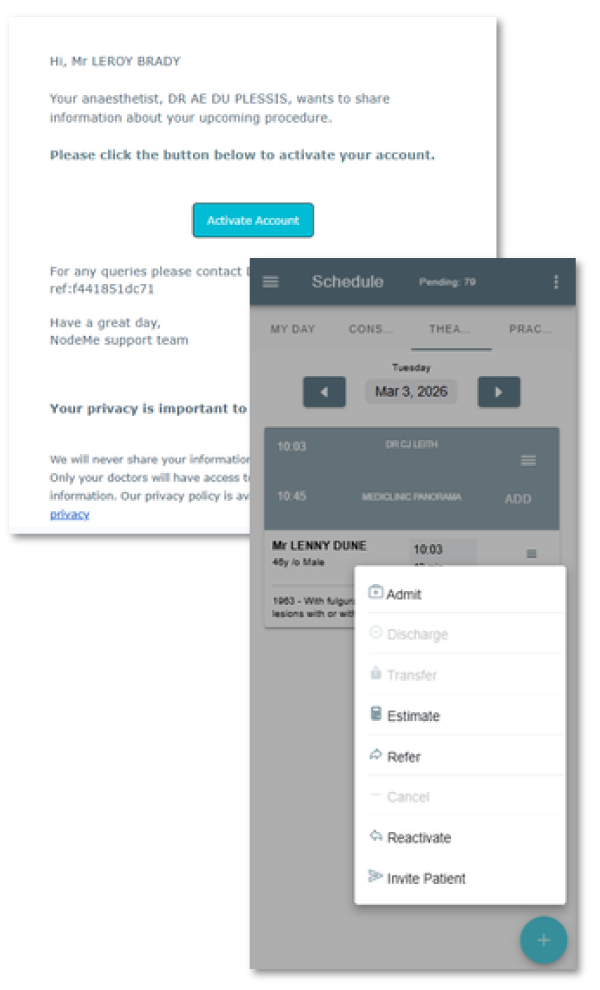

Your bureau or practice manager sends your patient an e-mail or SMS with a link to activate their account online.
Or
You can send the link from your MxNode App on the fly. Just click on their name in Schedule, click on the three dots top right to expand the menu, then select ‘Invite Patient’. They can receive a link via e-mail or SMS.
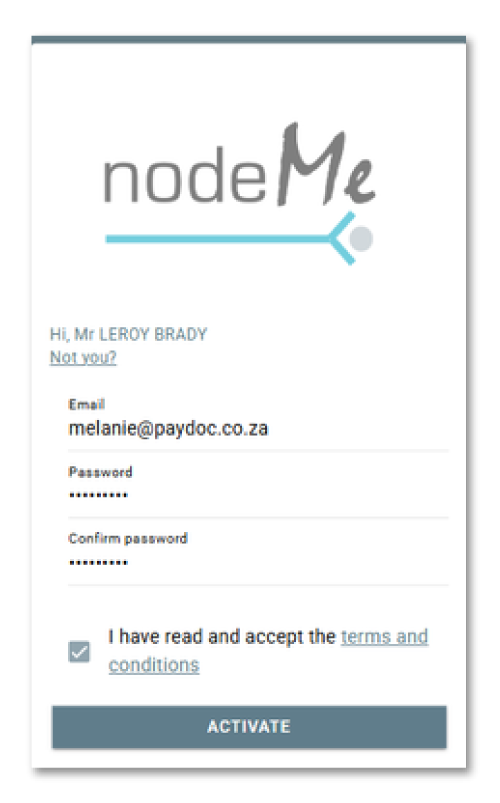

Patient App online activation is simple, fast and above all …secure!
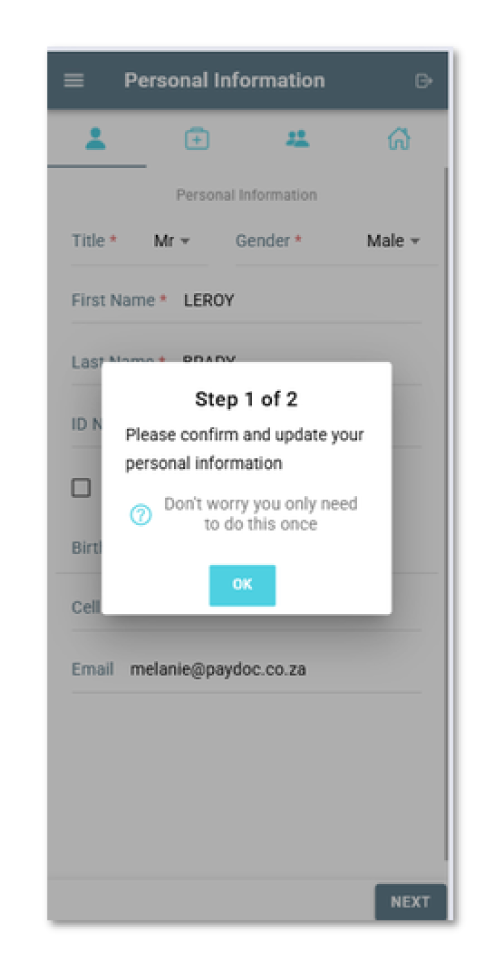

The patient can easily add their information.
- Personal information: Are all details correct? Patients verify pre-filled fields and make any changes or fill in missing info.
- Your patient then completes a comprehensive medical history and personal fitness questionnaire. We’ve made it easy; simple check boxes, extensive drop down list of medications, list previous surgeries, even a field where they can capture anything they want you to know pre-op.
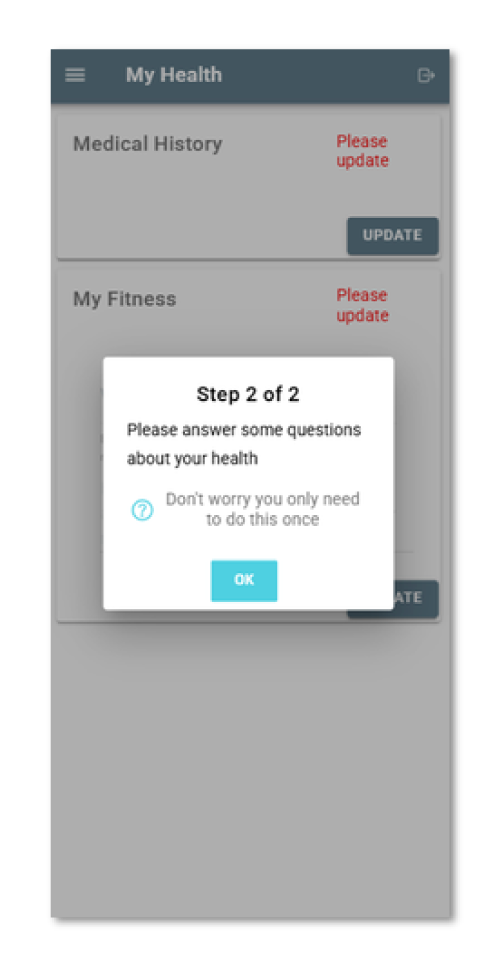
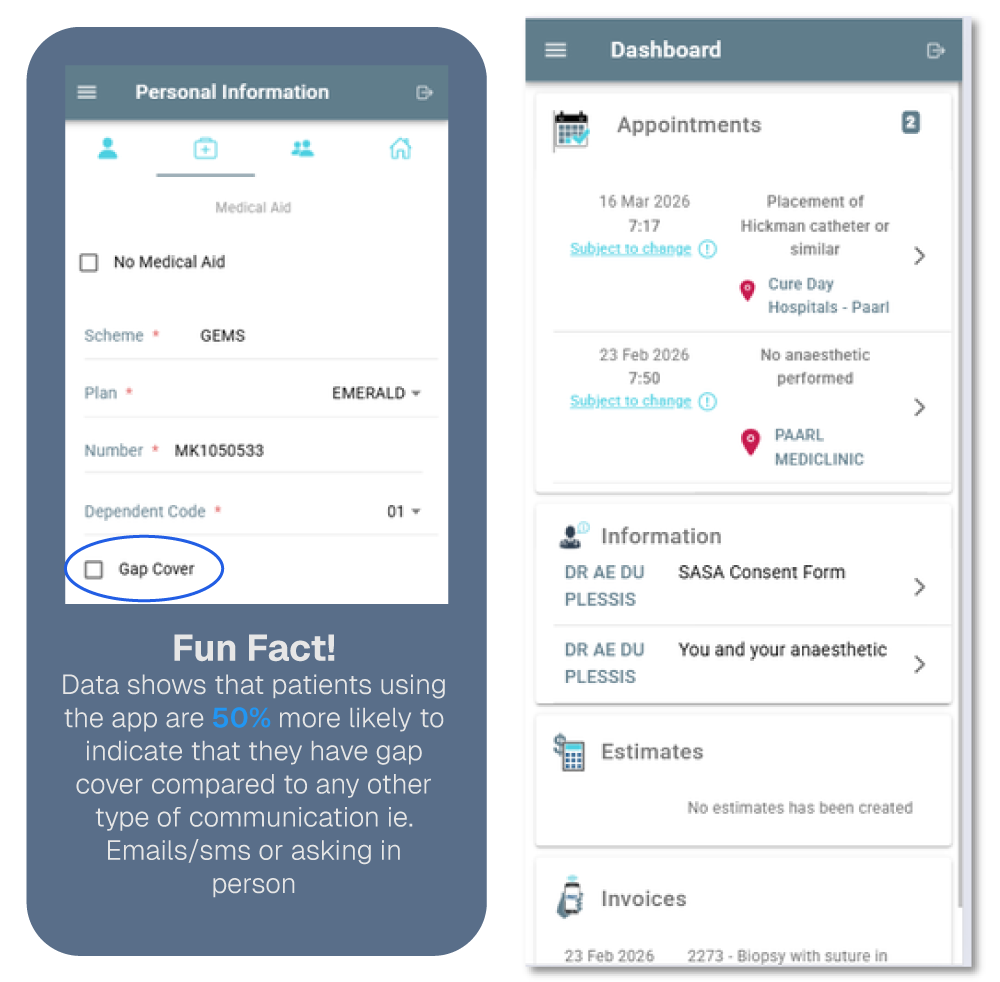

What Your Patient Gets…
What You See
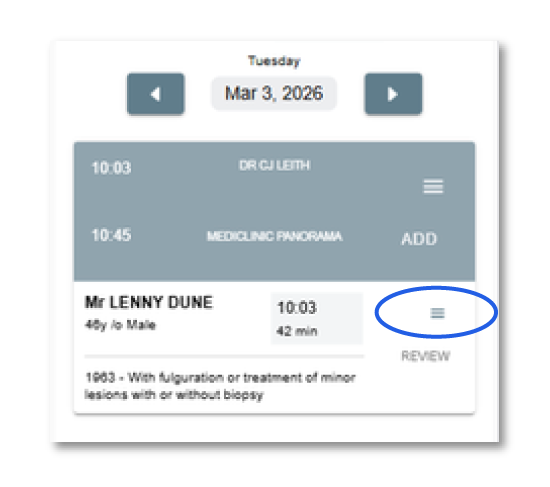
In your MXNode App, under Schedule, you’ll see your patient’s record.
Don’t see a cloud? The patient hasn’t been sent a link to the patient app. Go ahead and click on the menu top right (3 bars), scroll to the bottom and click on ‘Invite Patient’.
See a blue cloud with a tick? That means the patient has completed the information online, and submitted it.
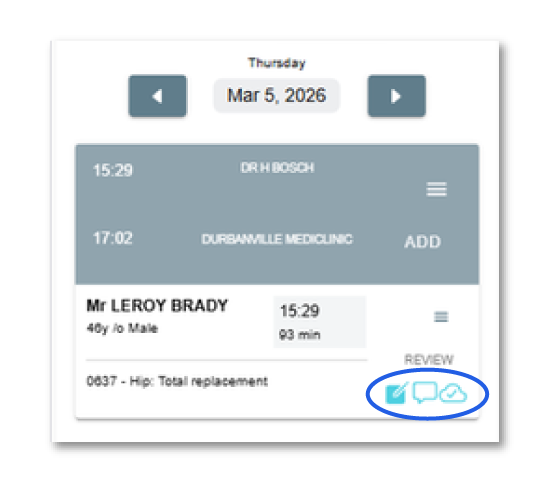
Here’s an example of where a patient has been successfully onboarded. See the icons bottom right? This means you can now easily review patient info online. Click on patient record.
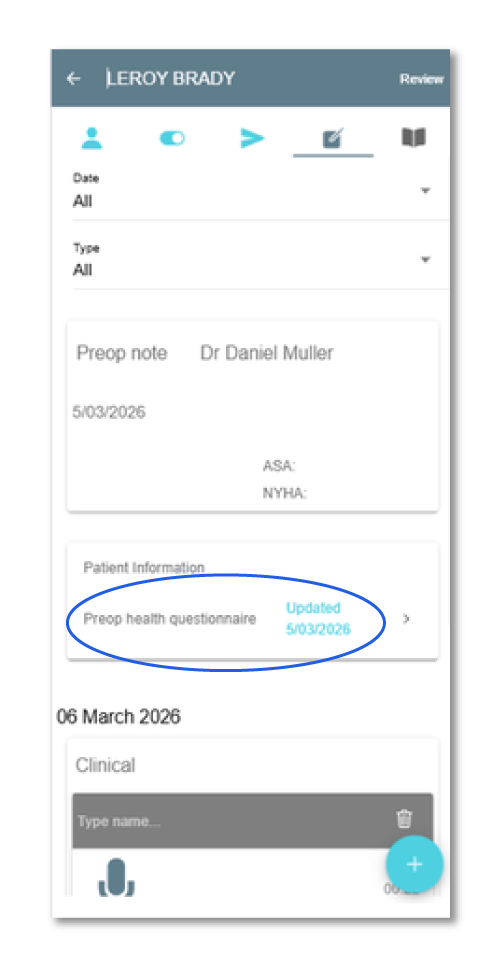
Click on the Patient Health Questionnaire blue link….
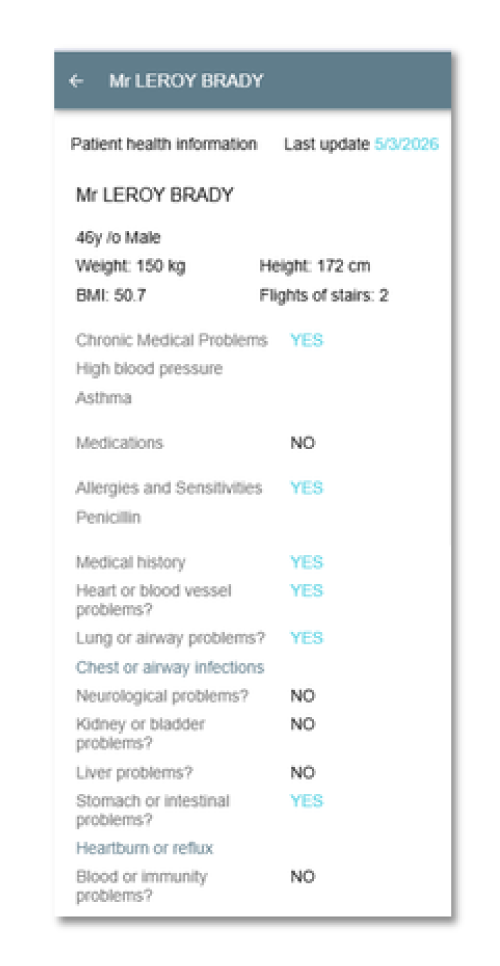
What You Get…

© 2026 Paydoc | Your Practice In Your Pocket – All Rights Reserved | Two Fishes Design.